Physical Security Assessment Checklist: The Complete Step-by-Step Guide
A physical security assessment checklist is a structured evaluation tool that systematically identifies vulnerabilities across 10 core areas: perimeter security, access control, surveillance, alarms, lighting, security personnel, interior protection, emergency preparedness, cyber-physical convergence, and compliance documentation. This guide includes a printable checklist template with 60+ items, an 8-step assessment process, and scoring frameworks aligned to ASIS, ISO 27001, and NIST standards.

Physical Security Assessment Checklist: The Complete Step-by-Step Guide
What Is a Physical Security Assessment Checklist?
A physical security assessment checklist is a structured evaluation tool used by security professionals, facility managers, and risk consultants to systematically identify vulnerabilities across a facility's physical protection systems by evaluating perimeter defenses, access controls, surveillance infrastructure, alarm systems, lighting, personnel deployment, interior protections, emergency preparedness, cyber-physical convergence, and compliance documentation. The checklist produces a scored inventory of findings that feeds directly into a prioritized remediation plan. ASIS International, ISO 27001 (Annex A Controls 7.1 through 7.14), and NIST SP 800-53 (PE control family) all establish frameworks that inform what a thorough physical security assessment should cover.
Assessment frequency varies by organization. As one Associate Director for Physical Security at a major defense contractor explained: "It varies depending on each site's kind of a unique case by case. Some are annually minimal. Some are 3 to 5 years. Some are as needed as threat conditions or risk conditions in the area change." A regional credit union demonstrated what the process looks like in practice: quarterly site assessments that once consumed 40+ hours of manual research per region dropped to 8 hours per cycle, covering 30+ branches across 4 districts with a single GSOC analyst.
Three related terms often cause confusion and are worth distinguishing upfront:
- A physical security risk assessment evaluates the likelihood and potential impact of specific threats against a facility, producing a scored risk profile that prioritizes remediation by severity.
- A physical security vulnerability assessment focuses specifically on weaknesses in existing security systems, identifying gaps that an adversary could exploit.
- A site security assessment is the broadest term, encompassing the full evaluation of a location's threat environment, existing controls, and operational readiness.
Physical Security Assessment vs. Security Audit: What's the Difference?
A physical security assessment is a proactive, evaluative process that identifies vulnerabilities and recommends improvements to a facility's protective posture. A security audit is a formal, often compliance-driven review that measures existing security controls against a defined standard or regulatory requirement.
ASIS International frames assessments as forward-looking evaluations that inform security strategy, while audits align more closely with ISO 27001 certification processes that verify whether documented controls are implemented and effective. Most organizations need both: assessments to improve and audits to verify.
Who Needs a Physical Security Assessment?
Any organization responsible for protecting people, assets, or sensitive information benefits from regular physical security assessments. The following facility types face specific regulatory or operational drivers:
- Corporate offices and commercial buildings. Access control reliability, visitor management, and after-hours security. Often driven by duty-of-care obligations.
- Manufacturing and industrial facilities. Large perimeters, hazardous materials, and high-value equipment. OSHA and insurance requirements often mandate assessments.
- Healthcare facilities. Workplace violence prevention, controlled substance storage, and HIPAA Security Rule (45 CFR 164.310) physical safeguard compliance.
- Educational institutions. Campus access control, lockdown capability, and emergency communication. Federal funding often ties to safety compliance.
- Government buildings and critical infrastructure. NIST SP 800-53 PE controls and CISA guidance require documented security evaluations.
- Data centers and server rooms. ISO 27001 Annex A physical controls (7.1 through 7.14) mandate layered access protections.
- Warehouses and distribution centers. Inventory protection, vehicle access control, and PCI DSS Requirement 9 for facilities handling payment data.
- Retail locations. Shrinkage prevention, employee safety, and customer protection across multi-site portfolios.
The 10 Core Areas of a Physical Security Assessment Checklist
The following 10 categories form the backbone of a comprehensive physical security assessment. Each section includes specific checklist items an assessor should evaluate and score.
1. Perimeter Security
Perimeter security is the first line of defense and establishes the boundary between public and controlled space. Threat conditions can vary dramatically even within short distances. One regional credit union found a 23-point BaseScore difference between two branches only 1.7 miles apart. One sat in an area of elevated property and violent crime; the other occupied a safer corridor despite sharing the same district classification. This underscores why perimeter assessments must be hyperlocal.
- Fencing is intact, at appropriate height (minimum 7 feet for high-security sites), and free of gaps or climbing aids
- Vehicle barriers (bollards, planters, anti-ram systems) protect building entrances and gathering areas
- Clear zones of at least 20 feet are maintained between perimeter fencing and structures
- Exterior security lighting provides full coverage of the perimeter with no shadow zones
- Motion-activated lighting supplements fixed perimeter lighting in low-traffic areas
- Backup power systems support perimeter lighting during outages
- Crime Prevention Through Environmental Design (CPTED) principles are applied: natural surveillance, natural access control, territorial reinforcement, and maintenance
- Perimeter signage communicates property boundaries, surveillance presence, and trespassing prohibitions
- Adjacent property conditions and land use are evaluated for risk factors (vacant lots, high-crime corridors, poor sightlines)
2. Building Access Control Systems
Access control determines who can enter, where they can go, and when. At one Fortune 500 executive residence, threat data analysis led to "enhanced perimeter gate access control with additional authentication layers," driven by hyperlocal crime intelligence rather than assumptions. Every entry and exit point must be cataloged and tested.
- All entry and exit points are identified: main entrances, secondary doors, loading docks, emergency exits, roof access, and accessible windows
- Access control technology is deployed at all controlled entry points (keycards, biometrics, PIN pads, or mobile credentials)
- Tailgating (an unauthorized person following an authorized person through a controlled entry) and piggybacking (entering with implicit permission of the authorized person) prevention measures are in place
- Mantrap or vestibule configurations are installed at high-security entry points
- Key management system tracks all physical keys with sign-out and return logging
- Visitor registration requires identification, purpose of visit, and host escort assignment
- Credential revocation procedures exist and are executed within 24 hours of employee termination
- Access logs are reviewed regularly for anomalies (off-hours access, repeated failed attempts, unusual patterns)
3. Video Surveillance (CCTV) Infrastructure
Video surveillance provides both deterrence and forensic evidence when properly deployed. A national discount retailer with 16,000+ locations "strategically repositioned existing security cameras and added new ones at identified vulnerability points" after analyzing crime data within a 0.1-mile radius of each store. The result: 75% reduction in incidents over 6 months.
- Camera placement covers all entry/exit points, parking areas, perimeter zones, and interior high-value areas with no blind spots
- Minimum resolution of 1080p is maintained for identification-quality footage
- Day/night capability with wide dynamic range (WDR) is enabled for all exterior cameras
- Recording retention meets organizational requirements (30 to 90 days minimum for most compliance frameworks)
- Stored footage is encrypted and access-restricted to authorized personnel
- Monitoring protocols define whether cameras are actively watched by operators, reviewed on schedule, or triggered by motion or alarm events
- Motion detection is configured with appropriate sensitivity thresholds to reduce false triggers
- Video system integrates with access control for correlated event review (badge swipe matched to camera footage)
4. Intrusion Detection and Alarm Systems
Intrusion detection systems alert security personnel to unauthorized entry attempts. At one Fortune 500 executive residence, glass break sensors on upper floors had been overlooked in the original security design. The gap was identified only after hyperlocal crime data revealed a burglary cluster within 0.5 miles of the property.
- Door and window contact sensors are installed on all perimeter openings
- Motion detectors (PIR, microwave, or dual-technology) cover interior zones during unoccupied hours
- Glass break sensors protect ground-floor and accessible upper-floor windows
- Duress and panic alarms are accessible at reception desks, executive offices, and other vulnerable stations
- Alarm monitoring is provided by a UL-listed central station with documented response procedures
- Response time SLAs are defined with the monitoring provider and verified through testing
- False alarm rate is tracked and reduction measures are documented
- Backup power (battery and/or generator) supports alarm panel operation during outages
- System testing is conducted on a documented schedule (quarterly minimum) with results recorded
5. Lighting Assessment
Adequate lighting deters unauthorized activity and enables surveillance systems to function at full effectiveness. CPTED research consistently identifies lighting as one of the most cost-effective security countermeasures.
- All access points (doors, gates, loading areas) are illuminated to identification-quality levels
- Parking areas provide uniform lighting with no dark zones between vehicles and building entrances
- Shadow zones created by architectural features, landscaping, or adjacent structures are eliminated
- Motion-activated lighting supplements fixed lighting in low-traffic or after-hours areas
- Emergency backup lighting activates automatically during power failures
- Lux levels at critical points are measured and meet minimum standards (50 lux at entry points, 10 lux for parking areas)
- Lighting supports camera performance: positions and angles avoid glare and backlighting on surveillance targets
- Light fixtures are protected against vandalism and positioned to prevent easy tampering
6. Security Personnel and Patrol Procedures
Security personnel are the human element that technology cannot replace, but their effectiveness depends on deployment discipline and data-informed scheduling. A national discount retailer "restructured security guard schedules to ensure maximum coverage during statistically high-risk periods" based on time-of-day crime pattern analysis.
One regional credit union implemented a tiered approach: branches with a BaseScore of 60+ received tier-one protocols including enhanced guard coverage and advanced detection technology. Branches scoring 40 to 60 received tier-two protocols with standard coverage. Low-risk branches below 40 received tier-three protocols focused on access control without costly guard forces.
- Guard staffing levels match the facility's risk profile and operational hours
- Post orders are current, specific, and reviewed with guards at shift start
- Patrol routes are documented, randomized to prevent predictability, and verified through checkpoint systems
- Guard licensing, background screening, and training certifications are current and documented
- Incident reporting protocols are defined, and guards can demonstrate familiarity with the process
- Communication equipment (radios, phones, body cameras) is functional and tested each shift
- Proprietary vs. contract guard decision is documented with clear performance metrics for either model
- Shift accountability logs are maintained and reviewed by security management weekly
7. Interior Security and High-Value Area Protection
Interior security protects the assets, data, and people within the building once perimeter and access controls have been passed. This category addresses the areas where the highest-consequence losses occur.
- Server rooms and data centers have segregated access with biometric or multi-factor authentication
- Environmental controls (temperature, humidity, water detection) are monitored in server rooms
- Sensitive document storage areas (filing rooms, safes, vaults) have restricted and logged access
- Executive areas have enhanced access controls proportional to threat level
- Cash-handling zones are physically separated with controlled entry and surveillance coverage
- Asset tagging and inventory management tracks high-value portable equipment
- Clean desk policy is enforced for workstations in areas handling sensitive information
- IT infrastructure (network switches, patch panels, telecom closets) is physically secured against unauthorized access
8. Emergency Response and Evacuation Preparedness
Emergency preparedness determines whether an organization can protect life safety during critical incidents. This category evaluates both the physical infrastructure and the human readiness to execute emergency procedures.
- Evacuation routes are clearly posted, unobstructed, and lead to designated assembly points
- Emergency exit hardware (alarmed crash bars, panic hardware) is functional and tested quarterly
- Assembly points are identified, communicated to all occupants, and located at safe distances from the building
- Emergency contact lists are current, accessible, and distributed to all supervisors
- Mass notification system can reach all occupants within minutes (PA, text, email, app)
- Evacuation drills are conducted at minimum annually, with participation documented and lessons incorporated
- Coordination protocols with local law enforcement and fire departments are established and tested
- Fire detection and suppression systems (sprinklers, extinguishers, smoke detectors) are inspected per code
- AED units and first aid kits are placed at documented locations and checked for expiration on schedule
9. Cybersecurity and Physical Convergence
The convergence of cybersecurity and physical security represents one of the most significant and under-addressed assessment categories in modern security programs. Organizations that treat physical and cyber threats as separate domains create exploitable gaps between the two.
As one former Secret Service agent described the data challenge in multi-jurisdictional environments: "Let's say this is a normal NYPD service area, but you have Amtrak police there. Sometimes there could be state police, MTA police." This fragmentation extends beyond physical incident tracking into the digital domain, where physical access and logical access systems often operate in separate silos.
- Physical access logs are cross-referenced with logical (IT) access logs to detect anomalies (badge-in at Building A, VPN login from another city)
- Network rooms, server closets, and telecom infrastructure have physical access controls equal to the sensitivity of the data they carry
- Hardware lock-down measures (cable locks, locked cabinets, secure mounting) protect endpoints and portable devices
- Secure device disposal procedures are documented and verified (drive destruction, certified wiping)
- Badge cloning vulnerabilities are assessed (proximity card technology reviewed for known exploits, upgrade paths to encrypted credentials evaluated)
- Dumpster diving risk is mitigated through document shredding policies, locked disposal bins, and secure destruction verification
- Insider threat indicators are included in physical security observations (unauthorized photography, tailgating patterns, after-hours access by non-essential personnel)
- Physical security systems (CCTV, access control, alarms) are assessed for cybersecurity hardness: default passwords changed, firmware updated, network segmentation applied
- Integration points between physical security and IT security systems are documented, with data flows mapped and access permissions defined
10. Policies, Procedures, and Compliance Documentation
Documentation transforms individual security measures into a defensible, auditable program. Without current written policies, even well-implemented controls lack the governance structure needed for regulatory compliance or legal protection.
One regional credit union established "data-driven security benchmarks" with a tiered protocol system mapped to risk scores, creating a documented and repeatable standard for every branch in their portfolio.
- Written security policies exist, are current (reviewed within the past 12 months), and are accessible to all employees
- Employee security awareness training is conducted annually with completion records maintained
- Incident response and escalation procedures are documented, tested, and updated after each significant event
- Regulatory compliance mapping is complete: ISO 27001 Annex A Section 7 controls, NIST SP 800-53 PE family, HIPAA 45 CFR 164.310, PCI DSS Requirement 9
- Vendor and contractor access policies define credentialing, escort requirements, and area restrictions
- Audit trail documentation captures who performed each assessment, when, what was found, and what actions were taken
- Security procedures are version-controlled with change logs
- Annual review cycle is scheduled and assigned to a named owner
How to Conduct a Physical Security Assessment: 8 Steps
Step 1: Define Scope and Objectives
Before any walk-through begins, establish what the assessment will cover and why.
- Identify which facilities, buildings, or campuses are in scope
- Define the assessment objective: compliance validation, incident prevention, M&A due diligence, or post-incident review
- Engage cross-functional stakeholders (security, facilities, IT, legal, HR) in scope definition
- Document the scope formally in a project charter or assessment plan
- Set timeline, deliverable format, and distribution list for the final report
Step 2: Assemble Your Assessment Team
The assessment team should combine security expertise with operational knowledge of the facility.
- Assign a lead assessor responsible for methodology, quality, and timeline
- Include internal team members from security, facilities management, IT, and HR
- Determine whether a third-party consultant is needed for objectivity or specialized expertise
- Establish roles: who conducts interviews, who inspects systems, who documents findings
As one Associate Director for Physical Security at a major defense contractor described: "We're branching out to multiple functional core areas to gather that collective data. We have CI and I that can provide the threat analysis. We deal with our government customers, local law enforcement. All that data gets put into an overall product."
Step 3: Gather Pre-Assessment Documentation
Collect everything the assessment team needs before arriving on site.
- Facility floor plans and site maps
- Current security policies and procedures
- Previous assessment reports and remediation tracking records
- Incident logs from the past 12 to 24 months
- Access control system configurations and credential databases
- Vendor and contractor SLAs for security services (guard companies, alarm monitoring)
- Applicable regulatory requirements (HIPAA, PCI DSS, ISO 27001, NIST)
Step 4: Conduct the Site Inspection
The physical walk-through is where the checklist becomes operational.
- Start with the perimeter and exterior, then move inward through controlled entry points to interior areas
- Score each checklist category using consistent criteria (compliant, partially compliant, non-compliant)
- Take photographic and video evidence of findings, both positive and negative
- Test systems: operate door locks, trigger alarm sensors, verify camera angles, measure lighting levels
- Note blind spots, environmental conditions, and any discrepancy between documented procedures and observed practice
A regional credit union reduced quarterly assessment time from 40+ hours to 8 hours per region when data-driven tools replaced manual research for the pre-inspection threat analysis phase.
Step 5: Interview Employees and Security Personnel
Human observations fill gaps that technology inspections miss.
- Ask employees about their awareness of security policies and reporting procedures
- Verify that staff know how to report incidents and who to contact in emergencies
- Question access credential practices: do employees share badges, prop doors, or bypass controls?
- Test emergency response familiarity: can staff describe evacuation routes and assembly points?
- Document day-to-day observations from guards, receptionists, and facilities staff about recurring security concerns
Step 6: Identify and Score Threats and Vulnerabilities
Convert inspection findings into a scored risk profile.
- Apply a risk matrix that evaluates each finding by likelihood and potential impact
- Likelihood assessment draws from crime data, historical incident records, and external threat intelligence
- Impact categories include safety (injury/death), financial (theft/damage), operational (downtime), and reputational
- Produce a risk score for each finding and categorize as Critical, High, Medium, or Low
Data quality matters for valid scoring. As one Southern California healthcare analyst described: "I have to go through, like, the LAPD's giant JSON file, and there's just a lot of reporting coming in from different places. So there's never really a way to know if these are conflated numbers." Another practitioner noted: "Police data notoriously changes from month to month. They may skip March, and then all of a sudden in April, they'll include April and March together." Normalized, validated data sources eliminate these scoring distortions.
Step 7: Document Findings and Build the Assessment Report
The assessment report is the deliverable that drives remediation decisions.
- Open with an executive summary: overall risk posture, critical findings count, and top-priority recommendations
- Organize findings by risk level (Critical first) with supporting photographic evidence
- Map each finding to the applicable compliance framework (ISO 27001, NIST, HIPAA, PCI DSS)
- Include a prioritized corrective-action roadmap with cost estimates, timelines, and assigned owners
- Provide appendices with raw checklist data, standards mapping, and methodology description
As one security leader put it: "Having charts, graphs, statistics, all the things like, here's exhibit A, you know?" Visual evidence transforms a report from an opinion document into a data-backed decision tool.
Step 8: Review, Remediate, and Schedule the Next Assessment
The assessment is not complete until findings are resolved and the next cycle is scheduled.
- Assign remediation ownership to named individuals with specific deadlines
- Track progress through a shared remediation log reviewed at regular intervals
- Conduct verification inspections to confirm that corrective actions were implemented as specified
- Schedule follow-up assessments: annually at minimum, or triggered by major incidents, facility changes, regulatory updates, or changes in the local threat environment
Assessment frequency should match risk conditions. "Some are annually minimal. Some are 3 to 5 years. Some are as needed as threat conditions or risk conditions in the area change."
Physical Security Assessment Checklist Template (Printable)
The following table consolidates all 10 assessment areas into a functional checklist template. Each item can be scored as Yes (compliant), No (non-compliant), or Partial (partially compliant), with priority levels mapped to the risk scoring framework from Step 6. Use the Notes/Action Required column to document specific observations and assign remediation tasks.
How Often Should You Conduct a Physical Security Assessment?
Most organizations should conduct a full physical security assessment at least annually. High-security environments, heavily regulated industries (healthcare, financial services, critical infrastructure), and facilities in volatile threat environments should assess every 6 months, with quarterly reviews of specific high-risk systems such as access control and intrusion detection.
Beyond scheduled assessments, trigger events should prompt immediate reassessment: a security incident, facility renovation or expansion, significant staff turnover, changes in the surrounding threat environment, new regulatory requirements, or a merger or acquisition. ASIS International recommends that assessment frequency be risk-proportionate rather than calendar-fixed.
One major defense contractor confirmed this flexible approach: "Some are annually minimal. Some are 3 to 5 years. Some are as needed as threat conditions or risk conditions in the area change."
For organizations managing large, distributed portfolios, the volume demands a scalable approach. One healthcare provider added 30 new service areas quarterly, each requiring threat assessment across 1,100+ zip codes. Without standardized, data-driven tools, that cadence would be impossible to sustain. SafetyCulture (iAuditor) and similar audit management platforms can help organizations schedule, track, and document recurring assessments across multiple locations.
Physical Security Assessment Checklist for Specific Environments
Office and Commercial Buildings
Office environments face threats centered on unauthorized access, information theft, and workplace violence. Access control reliability is the primary concern: badge readers must function at every controlled point, anti-tailgating measures must be enforced (not just installed), and visitor management must capture identification and purpose for every non-employee entry.
One regional credit union discovered a 23-point BaseScore difference between two branches only 1.7 miles apart, demonstrating that office-by-office assessment is essential even within the same metro area. After-hours monitoring deserves particular attention, as most office break-ins occur during evenings and weekends when the building operates at minimal occupancy.
Manufacturing and Industrial Facilities
Manufacturing sites present unique challenges: large perimeters that are difficult to monitor completely, high-value equipment and raw materials vulnerable to theft, hazardous materials requiring regulated access, and a mix of employees, contractors, and delivery personnel entering the site daily.
As one logistics security director explained about site selection: "If they are firm on a site happening, they'd have the information, the background to say, hey. You know, if we want this, we have to have this kind of security setup versus, hey. This one may cost more, but the area is a whole lot better."
Healthcare Facilities
Healthcare environments face a distinct combination of threats: workplace violence against clinicians and staff, controlled substance diversion, patient privacy requirements, and open-access emergency departments that cannot restrict entry the way a corporate office can.
One Clinician Safety Director at a large healthcare provider described the challenge directly: "Prior to Base Operations, our threat assessment process lacked standardization. Each region had different methods for determining high-risk areas, primarily relying on internal incident reports which varied widely in quality and consistency."
Educational Institutions
Campus environments balance openness with security, requiring controls that protect students and staff without creating a hostile atmosphere. The geographic spread of most campuses, combined with irregular operating hours and public event hosting, creates a complex security profile.
Data Centers and Server Rooms
Data center security requires the highest level of physical access control, operating on zero-trust principles where every access event is verified, logged, and reviewed. ISO 27001 Annex A Controls 7.1 through 7.14 provide the compliance framework.
Warehouses and Storage Facilities
Warehouses combine the perimeter security challenges of industrial facilities with high-value inventory protection. A national discount retailer with 16,000+ stores optimized perimeter lighting, camera positioning, and guard schedules based on location-specific crime data, achieving a 75% reduction in security incidents over 6 months.
Physical Security Assessment Report: What to Include
A completed physical security assessment report should be structured for two audiences: executives who need the risk summary and strategic implications, and security teams who need the detailed corrective action plan.
Standard report sections include:
- Title page with facility name, assessment date, lead assessor, and scope of work
- Executive summary with overall risk rating, number and severity of findings, and top three priority recommendations
- Methodology section citing the frameworks used (ASIS Physical Asset Protection Standard, ISO 27001, NIST SP 800-53 PE controls, or industry-specific standards)
- Findings organized by risk level (Critical, High, Medium, Low), each with description of the vulnerability, photographic evidence, applicable compliance control reference, and risk score (likelihood multiplied by impact)
- Risk matrix or heat map providing a visual summary of all findings by category and severity
- Prioritized recommendations with implementation timelines, estimated cost ranges, and assigned owners
- Appendices containing raw checklist data, standards mapping table, and detailed methodology notes
As one security leader described the impact of visual evidence: "Having charts, graphs, statistics, all the things like, here's exhibit A, you know?" Reports that include BaseScore data have incorporated "standardized BaseScores for comparing risk levels across different neighborhoods" and "crime type breakdowns to assess risks relevant to specific property uses."
ASIS Physical Security Assessment Standards: What You Need to Know
ASIS International is the global professional organization for security practitioners and the primary standards body for physical security assessment methodology. Three ASIS resources are directly relevant to assessment programs.
ASIS Physical Asset Protection Standard (2022) establishes best practices for evaluating physical security countermeasures, identifying vulnerabilities, and designing protective systems.
ASIS General Security Risk Assessment Guideline (GSRA) defines a seven-step risk assessment process: asset identification, threat assessment, vulnerability assessment, risk analysis, risk evaluation, risk treatment, and monitoring and review.
Professional certifications signal assessment competency:
- PSP (Physical Security Professional) is the ASIS certification most directly aligned with physical security assessment.
- CPP (Certified Protection Professional) is the broader ASIS certification covering security management, investigations, and risk assessment.
ISO 27001 Physical Security Assessment Checklist
ISO 27001:2022 Annex A includes controls 7.1 through 7.14 specifically covering physical and environmental security.
ControlDescription7.1Physical security perimeters7.2Physical entry controls7.3Securing offices, rooms, and facilities7.4Physical security monitoring7.5Protecting against physical and environmental threats7.6Working in secure areas7.7Clear desk and clear screen7.8Equipment siting and protection7.9Security of assets off-premises7.10Storage media7.11Supporting utilities7.12Cabling security7.13Equipment maintenance7.14Secure disposal or re-use of equipment
Conducting a Physical Security Assessment: Internal Team vs. Hiring a Consultant
The decision between conducting assessments internally and hiring a third-party consultant depends on the organization's security maturity, assessment scope, and available expertise.
One regional credit union demonstrated that a single GSOC analyst could cover 4 districts and 30+ branches by pairing internal expertise with data-driven assessment tools. A financial institution achieved 5x faster assessment delivery, going from one to five assessments per week, using an internal team equipped with standardized threat intelligence.
FactorInternal TeamThird-Party ConsultantCostStaff time only (lower direct cost)$150 to $400/hour or project-basedObjectivityPotential for internal biasIndependent, unbiased findingsInstitutional KnowledgeDeep familiarity with operationsRequires onboarding and orientationScalabilityLimited by team capacityScalable across multiple sitesSpeedFaster startup, no procurement cycleProcurement and scheduling lead timeCompliance CredibilityAccepted for internal auditsPreferred for certification and regulatory auditsSpecialized ExpertiseDependent on team qualificationsAccess to ASIS CPP/PSP certified assessorsMethodologyMay vary by assessorStandardized, documented methodology
What Does a Physical Security Assessment Cost?
Professional physical security assessment consultants typically charge $150 to $400 per hour, depending on their credentials, geographic market, and the complexity of the engagement.
Common Vulnerabilities Found in Physical Security Assessments
Security assessments consistently uncover the same categories of vulnerabilities across industries and facility types.
- Outdated access credentials. Former employees, expired contractors, and role-changed staff retaining active badges and access permissions.
- Camera blind spots. Surveillance gaps at secondary entrances, stairwells, parking structures, and loading docks.
- Doors propped open or not latching. Fire exits, smoking area doors, and loading docks left unsecured for convenience.
- Tailgating and piggybacking. Unauthorized entry behind authorized personnel, particularly at high-traffic entry points during shift changes.
- Inadequate lighting at secondary entrances. Primary entrances are well-lit; side doors, loading areas, and parking structures often are not.
- Missing or untested alarm systems. Alarm sensors present but not connected, not monitored, or never tested after installation.
- No visitor escort procedures. Visitors issued temporary badges but allowed to roam without accompaniment.
- Outdated emergency evacuation maps. Maps posted that do not reflect current floor plans, exits, or assembly points.
- Insider threat gaps. No physical observation protocols for detecting suspicious behaviors.
- Badge cloning vulnerabilities. Legacy proximity card systems (125 kHz) vulnerable to inexpensive cloning devices.
How Base Operations Supports Physical Security Assessments
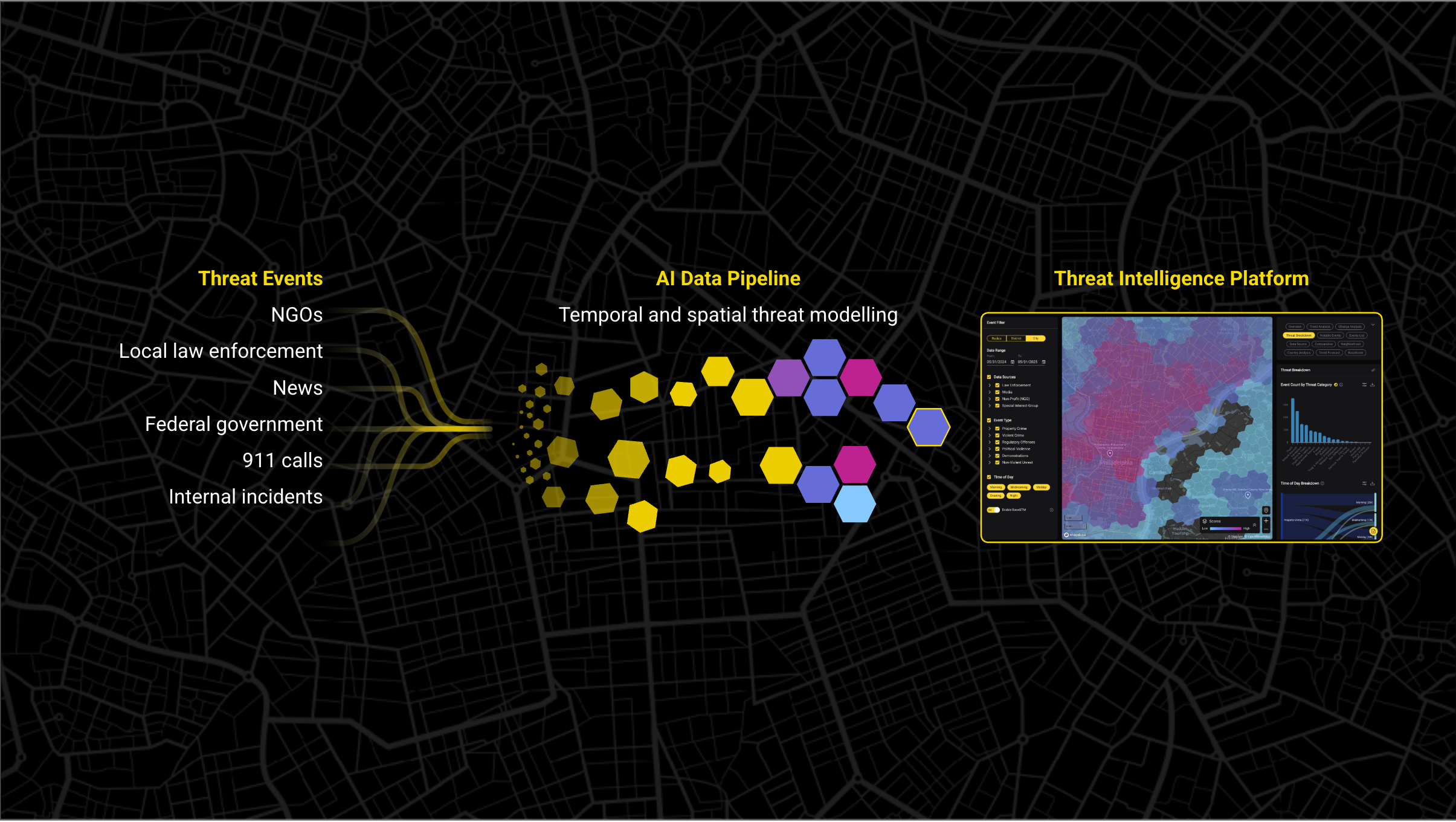
Base Operations provides the external threat intelligence layer that turns a facility-focused checklist into a context-aware assessment. The platform aggregates data from 25,000+ global sources into 150+ million mapped incidents, delivering crime and unrest intelligence at sub-mile granularity across 5,000+ cities worldwide.
- A Fortune 500 financial institution ($5T AUM, 77K employees, 247 offices) achieved 5x faster site assessment delivery, going from one assessment per week to five.
- A national discount retailer (16,000+ stores) used location-specific crime data to optimize security controls and achieved a 75% reduction in security incidents over 6 months.
- A regional credit union (30+ branches) saved $180K annually through data-driven resource allocation and reduced quarterly assessment time by 80%.
- A large healthcare provider (400K+ employees) achieved 3x higher location coverage compared to their previous approach, monitoring threat conditions across 1,100+ zip codes.
- A Fortune 500 executive residence assessment was completed 90% faster, dropping from 5 hours to 30 minutes.
Frequently Asked Questions About Physical Security Assessments
What is included in a physical security assessment checklist?
A physical security assessment checklist covers 10 core areas: perimeter security, building access control, video surveillance (CCTV), intrusion detection and alarms, lighting, security personnel and patrols, interior and high-value area protection, emergency response and evacuation, cybersecurity-physical convergence, and policies/compliance documentation. Each area includes specific items scored as compliant, partially compliant, or non-compliant, with priority levels assigned based on risk severity.
What is the difference between a physical security assessment and a risk assessment?
A physical security assessment evaluates the current state of security controls, systems, and procedures at a facility to identify vulnerabilities. A physical security risk assessment goes further by analyzing the likelihood and potential impact of specific threats, producing a scored risk profile that prioritizes remediation by severity. In practice, most comprehensive evaluations combine both: assessing what exists and scoring what could happen.
How do I create a physical security assessment checklist template in Word or Excel?
Structure your template with five columns: Assessment Area, Checklist Item, Status (Yes/No/Partial), Priority Level (Critical/High/Medium/Low), and Notes/Action Required. Organize rows by the 10 core assessment categories with 6 to 10 items per category. Include a scoring summary section that calculates compliance percentages by area. The printable template in this article can be copied directly into a spreadsheet for customization.
Is there a free physical security assessment checklist PDF I can download?
The comprehensive checklist template in this article includes 60+ items across 10 assessment areas and can be saved or printed as a PDF directly from your browser. SafetyCulture (iAuditor) also offers free downloadable physical security audit templates aligned to ASIS and ISO standards. ASIS International provides additional checklist resources through its PSP certification program materials.
What does CISA recommend for physical security assessments?
CISA (Cybersecurity and Infrastructure Security Agency) recommends a layered security approach covering access control, surveillance, intrusion detection, and security personnel. Their guidance emphasizes regular vulnerability assessments, coordination with local law enforcement, emergency preparedness planning, and integration of physical and cybersecurity measures. CISA's Infrastructure Security Division provides sector-specific assessment guides for critical infrastructure operators.
How long does a physical security assessment take?
A single-facility assessment typically takes 1 to 3 days for the on-site inspection, plus 1 to 2 weeks for documentation and reporting. Multi-site portfolio assessments vary significantly: one regional credit union reduced quarterly assessment time from 40+ hours to 8 hours per region using data-driven tools. The primary variables are facility size, assessment scope (focused vs. comprehensive), number of stakeholders interviewed, and the assessor's familiarity with the facility.
What certifications should a physical security assessor have?
The primary certifications are ASIS International credentials: CPP (Certified Protection Professional) for broad security management expertise, PSP (Physical Security Professional) for assessment-specific knowledge covering physical security assessment methodology, system design, and implementation, and CSC (Certified Security Consultant) for consulting work. ISO 27001 Lead Auditor certification adds value for compliance-driven assessments. Many experienced assessors hold multiple certifications.
How do I score and prioritize findings from a physical security assessment?
Apply a risk matrix that scores each finding by likelihood (based on crime data, historical incidents, and external threat intelligence) multiplied by potential impact (safety, financial, operational, reputational). Categorize results as Critical (immediate action within 7 days), High (30-day remediation), Medium (90-day remediation), or Low (next annual review cycle). One regional credit union used BaseScore thresholds to create three tiers of protocols mapped to specific risk levels, ensuring consistent prioritization across all branches.
What is the ASIS physical security assessment standard?
The ASIS Physical Asset Protection Standard (2022) is the industry's authoritative framework for conducting physical security assessments. It establishes best practices for evaluating security countermeasures, identifying risk, and designing protective systems. The standard underpins the PSP certification program and aligns with ISO 27001 and NIST SP 800-53 frameworks. Security professionals pursuing structured assessment methodology should reference this standard alongside the ASIS General Security Risk Assessment Guideline.
How does a physical security assessment relate to ISO 27001 compliance?
ISO 27001 Annex A includes controls 7.1 through 7.14 specifically covering physical and environmental security. These controls address physical security perimeters (7.1), entry controls (7.2), securing offices and rooms (7.3), physical security monitoring (7.4), protection against physical and environmental threats (7.5), working in secure areas (7.6), and clear desk/clear screen policies (7.7), among others. A physical security assessment maps directly to demonstrating compliance with these controls during ISO 27001 certification audits.
A physical security assessment checklist is only as strong as the data informing it. Base Operations delivers the street-level threat intelligence that turns a facility walkthrough into a data-driven evaluation. See how it works. Request a demo.

Takeaways

Join 1100+ security leaders getting new ideas on how to better protect their people and assets.